
The Digital Study Planner: Build a Smarter Way to Study


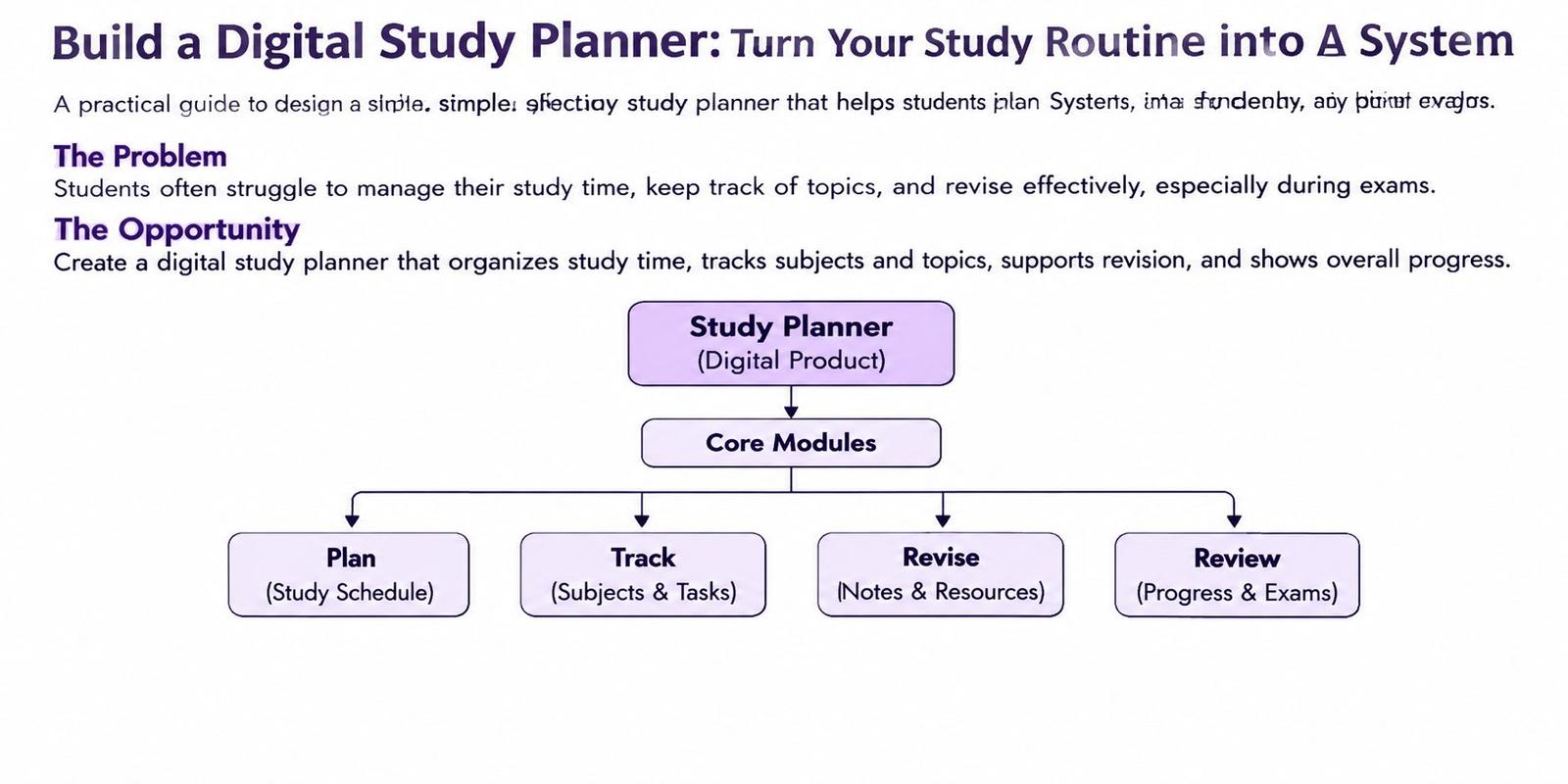
Four subjects. Multiple assignments. Upcoming exams. And a study timetable that's already forgotten.
Sound familiar?
The problem isn't always a lack of discipline. Sometimes, students simply need a better system to organise their learning.
A digital study planner brings everything into one place—helping you plan, track, revise and review your academic progress.
What should your planner include?
Think of it as four connected modules:
1. Plan — Your Study Schedule
Organise weekly targets, daily tasks and study sessions.
2. Track — Your Subjects and Tasks
Keep track of chapters, assignments and completed topics.
3. Revise — Your Notes and Resources
Collect revision notes, important links and practice questions.
4. Review — Your Progress and Exams
Monitor completed topics, upcoming exams and remaining goals.
Build your first version
You don't need coding skills to get started.
- Use Notion to create an interactive study dashboard.
- Use Canva to design an editable planner.
- Use Google Sheets to track subjects and progress.
Start with one subject. Create a weekly schedule, add a chapter tracker and build a simple revision checklist. Test it with a few fellow students and improve it based on their feedback.
Your turn
If you were designing a digital study planner for your college, which module would be most useful: Plan, Track, Revise or Review?
And which tool would you choose to build it?





Add your perspective
Sign in to comment, like, and build your reputation.