
Learn to Create a Social Media Content Calendar Using AI


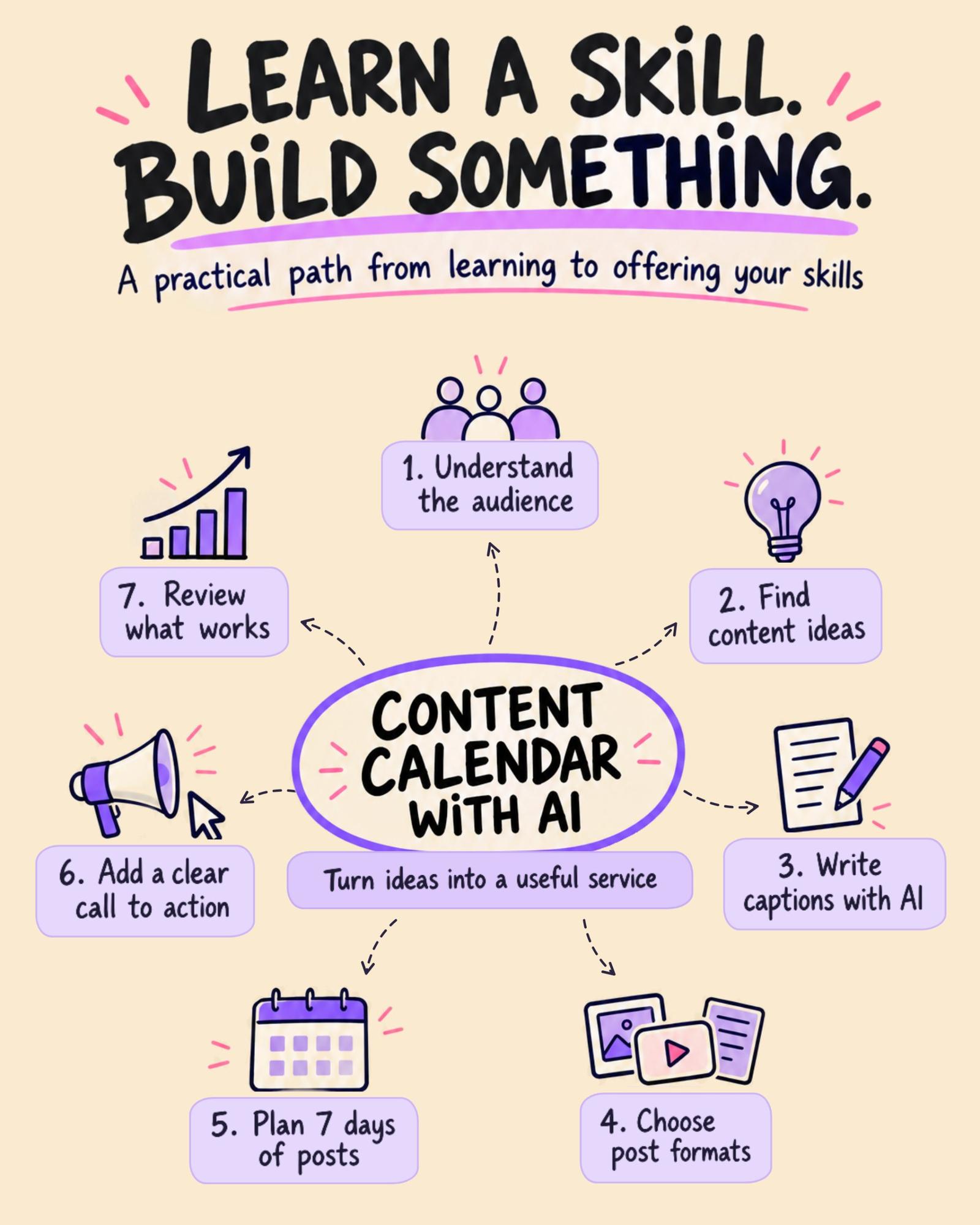
Turn scattered ideas into a week of meaningful content with AI and a little creativity.
Ever opened Instagram to create a post and ended up wondering what to publish? You're not alone. For creators, startups, and small businesses, staying consistent on social media can be challenging.
A social media content calendar helps you plan what to post, when to publish it, and what each post should achieve. With AI, you can simplify the process, generate ideas, and organise your content without starting from scratch every time.
How to create your first content calendar
1. Understand your audience
Before creating content, ask yourself: Who are you trying to reach? A café targeting college students will need different content from a clothing brand targeting working professionals.
2. Generate content ideas using AI
Use AI tools to brainstorm educational posts, behind-the-scenes videos, product highlights, and relatable content. Choose ideas that genuinely interest your audience rather than blindly accepting every suggestion.
3. Plan seven days of content
Create a simple calendar with the publishing date, topic, format, caption, and call to action. For example, a café could share coffee-making videos, a carousel about different coffee options, and a weekend invitation.
4. Write and improve your captions
Ask AI to draft captions based on your audience and brand voice. Edit the results, verify the details, and make the language sound natural. Remember, AI is your assistant—not a replacement for your judgement.
5. Review what works
Once your content is published, review relevant metrics such as saves, shares, comments, reach, and enquiries. Use these insights to improve your next calendar.
Your practical challenge
Choose a café, startup, personal brand, or local business. Create a seven-day content calendar with post ideas, formats, captions, and calls to action.
Save your work as a portfolio project. If it's based on an imaginary business, label it as a concept project.
You can later use this sample to demonstrate your skills when exploring internships, collaborations, or potential freelance opportunities.
The goal isn't just to create more content with AI. It's to learn how to create content with purpose.
Share your work
Post your completed calendar in OneShopAI Community → Discover Collab Space → Offer Your Skills. Share what you built, which tools you used, and what you learned.
You don't need to be an expert to begin. Start with one project, learn through practice, and improve with every attempt.
Learn it. Build it. Share it.


Add your perspective
Sign in to comment, like, and build your reputation.